
If you want automatic translation without per-word fees or an API key, Traducto is the cheapest way to make a WordPress site multilingual. If you need human translation workflows or manual per-language content, WPML or Polylang remain the reference.
A multilingual site opens your content to visitors who search in their own language — and most of the web does not search in English. The hard part is choosing a plugin: the six serious options use three very different models, and the wrong one can mean a monthly bill that grows with every word you publish.
We compared Traducto, Weglot, TranslatePress, WPML, Polylang and GTranslate on what actually matters for a small business, freelancer or agency: total cost, how translation works, SEO, editing and page-builder support (Divi, Elementor, Gutenberg).
Disclosure: Traducto is our plugin. We have tried to keep this comparison factual, including where competitors do better — prices below were checked on each vendor's pricing page and are linked in the Sources section.
WordPress translation plugins compared at a glance
Traducto is the only plugin here with unlimited automatic translation, unlimited languages and no API key even in its free version. The others either cap words, cap languages, or bill translation separately.
| Plugin | How translation works | Paid plans from | Automatic translation included | Languages | API key or credits needed |
|---|---|---|---|---|---|
| Traducto | Automatic, stored in your WordPress database, editable | $20/year (1 site) | Unlimited words | Unlimited | No (optional DeepL key on Premium) |
| Weglot | Automatic SaaS, hosted on Weglot's servers | $200/year | 10,000 words (Starter) | 1 on Starter, up to 20 | No, but word quota |
| TranslatePress | Visual front-end editor, stored locally | $120/year | 50,000 AI words (Personal) | Unlimited | AI words quota, or your own DeepL/Google key |
| WPML | Separate translated copy of each page | $47/year | None on Blog; 22,500 AI words on CMS ($120) | Unlimited | Credits (2 per word with Google/DeepL) |
| Polylang | Separate translated copy of each page | Free core; Pro $133/year | Pro only, via DeepL | Unlimited | DeepL key |
| GTranslate | Automatic SaaS proxy | ~$150/year (Startup) | Unlimited words | 2 languages | No |
Prices as listed by each vendor or recent reviews in 2026; most are excluding VAT and may change. Check the vendor's pricing page before buying.
How to choose a WordPress translation plugin
Four criteria decide almost every choice: how you pay for translation, where translations live, how you edit them, and whether the plugin handles your page builder.
1. The cost model: per site, per word or per month
This is where the real difference lies. A SaaS like Weglot charges a monthly fee that rises with your word count and number of languages.
Plugin licences like WPML, TranslatePress and Polylang charge a yearly fee, but automatic translation usually runs on credits, word quotas or your own DeepL/Google API key. Traducto's free version has no quota on words or languages; Premium costs $20 a year per site.
2. Where your translations are stored
With Traducto, TranslatePress, WPML and Polylang, translations sit in your own WordPress database. With Weglot and GTranslate's paid plans, they live on the vendor's servers — stop paying and the translated pages go away.
3. Editing machine translations
Automatic translation gets you 90% of the way. You will want to fix brand names, product terms and key headlines. Check that the plugin lets you search and edit any string, and mark text that must never be translated.
4. Page builder and theme support
Plugins that translate the rendered page (Traducto, TranslatePress, Weglot, GTranslate) cover Divi, Elementor or Bricks content, menus and widgets without extra setup. Plugins that duplicate each page (WPML, Polylang) depend on per-builder compatibility — Polylang's own documentation lists Elementor as not compatible, according to WPML's comparison.
The 6 best WordPress translation plugins reviewed
1. Traducto — best value for automatic translation
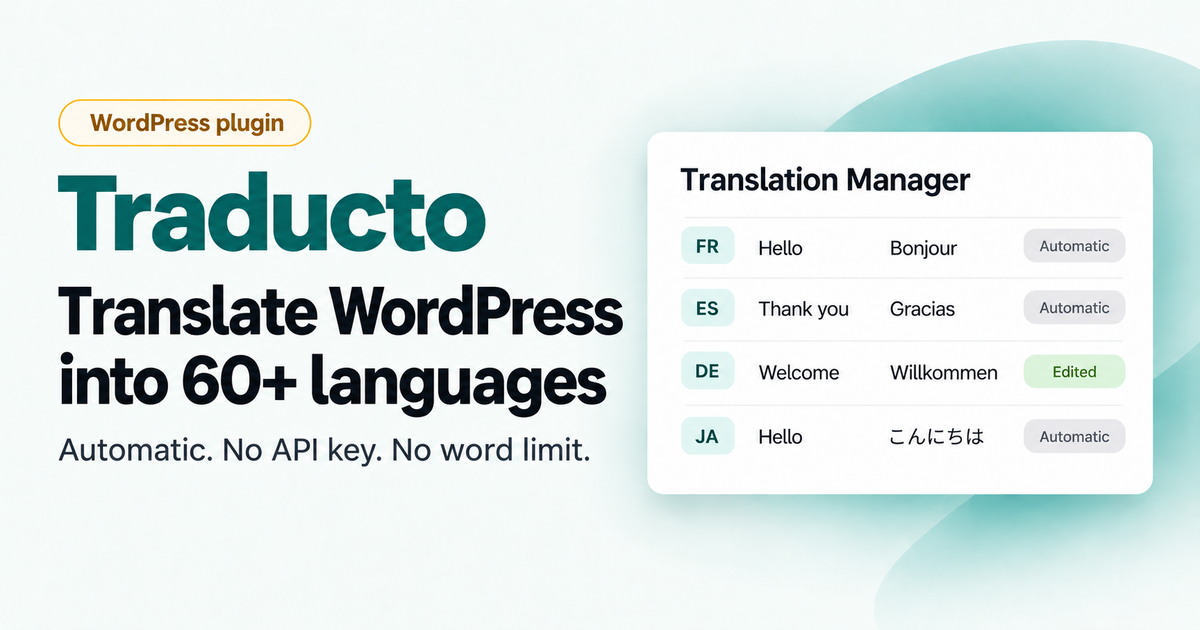
Traducto translates the complete rendered page into 60+ languages using free, keyless engines (Google Translate's free endpoint, with MyMemory as fallback). Premium can also use DeepL if you add your own DeepL API key. Each string is translated once, saved in your database and served as real HTML with hreflang tags, so every language can be indexed.
Pros
- Unlimited words and languages
- No API key, no translation account, no credits to monitor
- Translation Manager to edit, ignore or reset any string
- One-click pre-translation of the whole site
- Optional DeepL engine on Premium for higher-quality translations
- Translated titles, meta descriptions and Open Graph tags
- Native Divi 5 Language Switcher module, plus shortcode, widget and floating switcher for other themes
Cons
- Newer plugin with a smaller community than WPML or Polylang
Pricing: Personal $20/year (1 site), Business $49/year (4 sites), Agency $149/year (unlimited sites). A free version supports every language with no word limit; Premium adds one-click pre-translation and the optional DeepL engine.
2. Weglot — easiest SaaS, priced by the word
Weglot is a hosted service: install, connect, and translations appear within minutes. Its editor, glossary and professional translation ordering are polished. The catch is the pricing: Starter costs $200 a year for 10,000 words and one language, and higher plans add words and languages (Weglot). The word allowance is a fixed total, not a monthly refill (Glopal).
Best for: businesses that want zero maintenance and have the budget for a recurring SaaS bill.
3. TranslatePress — visual editing on the front end
TranslatePress lets you translate by clicking text directly on your live pages, and stores translations locally. Paid plans start at $120 a year (Personal, 1 site) with 50,000 AI-translated words. Beyond that quota, you buy more words or plug in your own DeepL or Google key.
Best for: site owners who translate a lot by hand and like a visual editor.
4. WPML — the full-featured veteran
WPML creates a separate translated version of every post, page and product, with translation management, translator roles and WooCommerce multi-currency. Plans start at $47 a year (Blog); the CMS plan at $120 a year includes 22,500 AI-translated words (WPML). Automatic translation consumes credits: Google or DeepL use two credits per word (Cool Plugins).
Best for: large or complex sites, WooCommerce stores and teams working with human translators.
5. Polylang — a generous free core

Polylang's free plugin handles manual multilingual content well. Polylang Pro starts at $133 a year for one site, with a 50% renewal discount (Polylang). Machine translation is a Pro feature and relies on DeepL; WooCommerce needs a separate $133 /year add-on.
Best for: bloggers and developers who write each language by hand.
6. GTranslate — Google Translate as a service
GTranslate's free widget translates in the browser, which search engines do not index. Indexable translations need a paid plan: starting at about $150 a year (Startup) for two languages on one site.
Best for: sites that only need one or two extra languages and prefer a hosted service.
Which plugin should you pick?
For most small sites and agencies that want automatic translation, Traducto costs the least by far; WPML stays the safer choice for complex WooCommerce or human-translation workflows.
| Your situation | Our pick | Why |
|---|---|---|
| Small business or blog, tight budget | Traducto Personal ($20/year) | Unlimited words and languages for less than one month of a SaaS plan |
| Divi user | Traducto | Native Divi 5 language switcher module, translates Theme Builder headers and footers |
| Freelancer or agency with client sites | Traducto Agency ($149/year) | Unlimited sites, no per-word bill to pass on to clients |
| Large WooCommerce store, multi-currency | WPML Multilingual CMS | Mature WooCommerce and currency support |
| Team working with professional translators | WPML or Weglot | Translation management and translator services built in |
| Hand-written content in each language | Polylang (free) | Clean manual workflow at no cost |
Frequently asked questions
What is the cheapest way to translate a WordPress site automatically?
Traducto's free version on WordPress.org includes unlimited automatic translation into 60+ languages, with no API key. Premium ($20/year) adds one-click pre-translation and the optional DeepL engine. Other free options (Polylang, TranslatePress Free, GTranslate's widget) limit languages, words, or search engine indexing.
Is machine translation bad for SEO?
Not by itself. Google can index machine-translated pages, but low-quality, unreviewed content at scale can hurt you. Review your key pages — home, product and pricing — and fix the wording in your translation editor.
Do I need a translation API key?
With Traducto, Weglot and GTranslate, no — Traducto Premium can optionally use your own DeepL key. With Polylang Pro you need a DeepL key; TranslatePress and WPML use included quotas or credits, then your own key or paid top-ups.
Can I switch translation plugins later?
Yes, but plan for it. Translations hosted by a SaaS stay with the vendor, while local plugins let you export them. Traducto exports and imports every translation as CSV or JSON.
Which translation plugin works best with Divi?
Any plugin that translates the rendered page covers Divi content. Traducto adds a native Divi 5 Language Switcher module with a live Visual Builder preview, so the switcher matches your design without custom code.
The verdict
If your goal is a multilingual WordPress site without a growing translation bill, Traducto is the most cost-effective option in this comparison: free for unlimited words and 60+ languages, or $20 a year to pre-translate your whole site, translations stored on your own site, and full editing control. Choose WPML or Weglot instead if you need professional translators or deep WooCommerce multi-currency support.
Try Traducto Premium — from $20/year, or start with the free version on WordPress.org to test it on your own site.
Sources
- Weglot — Best Localization Tools for 2026 (plan prices)
- Glopal — Weglot pricing in 2026
- Crocoblock — TranslatePress review and pricing
- WPML — Best WordPress translation plugin comparison
- WPML — WPML vs Polylang
- Cool Plugins — WPML translation credit costs
- Polylang — Pricing
- WP Marmite — GTranslate review and pricing
0 Comments