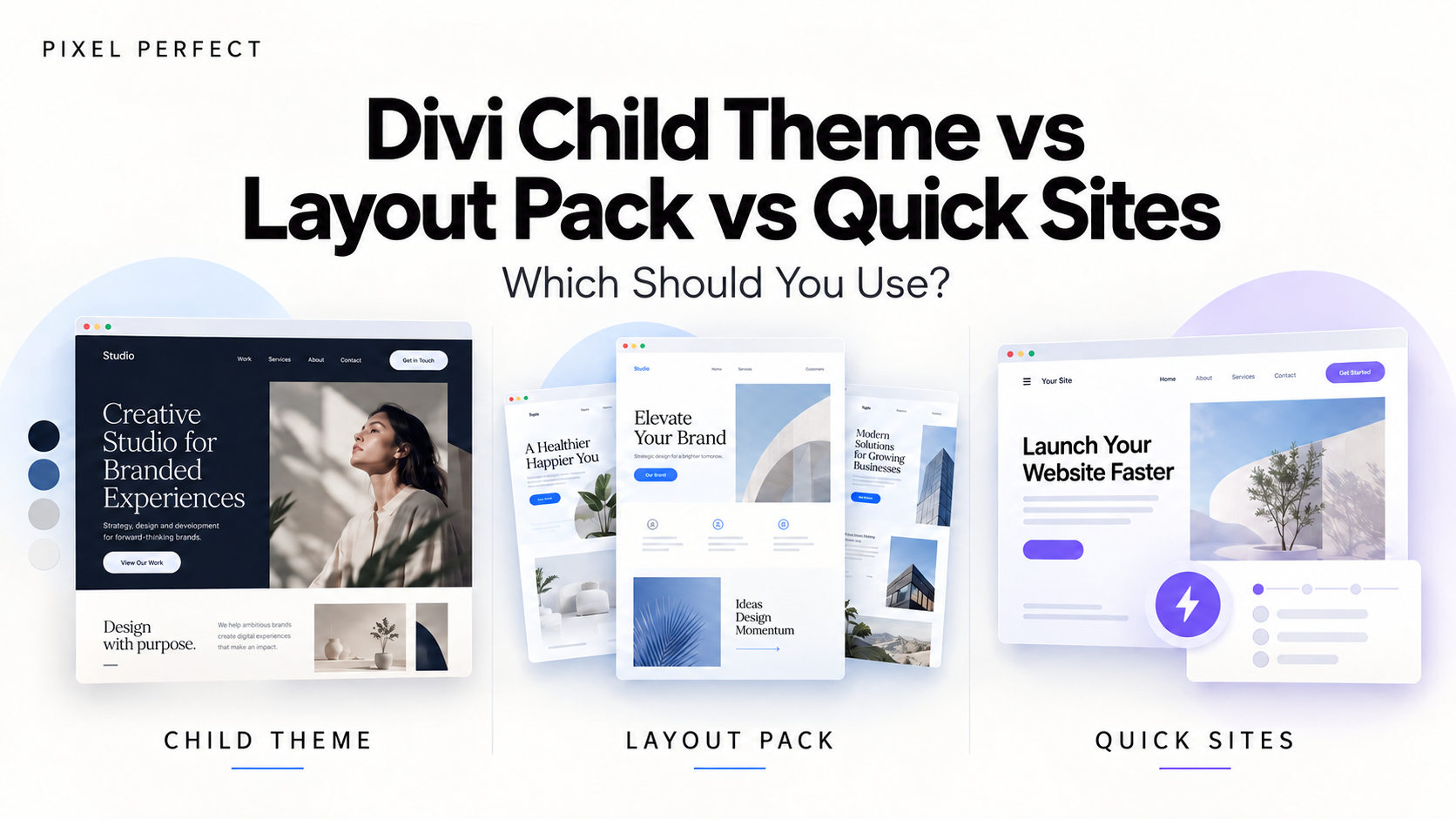
Starting a new Divi site used to mean one decision: buy a child theme or import a layout pack. Now there's a third option built right into Divi, Quick Sites, which can generate a full website in a couple of minutes. All three promise a head start, but they don't give you the same thing, and picking the wrong one can cost you more time than it saves.
This guide explains what each option actually is, where each one shines, and how to choose based on your project, budget, and workflow.
Transparency note: Pixel Perfect sells Divi child themes. We've tried to be fair about when a layout pack or Quick Sites is the better choice, because sometimes it genuinely is.
Quick answer: Use Quick Sites for fast prototypes, low-budget projects, or when you want Divi AI to draft content for you. Use a layout pack when you only need a few extra page designs for a site that already exists. Use a child theme when you want a complete, niche-specific design system that looks unique and is ready for real client work from day one.
What Is a Divi Layout Pack?
A layout pack is a set of pre-designed pages (usually a homepage, about, services, contact, and a few others) that you import into Divi one page at a time. Divi ships with hundreds of free layout packs, and many more are sold on the Divi Marketplace.
What you get: individual page designs you can load into the builder.
What you don't get: a unified site. Layout packs don't set up your header, footer, Theme Builder templates, or global design settings. After importing, you still have to align colors, fonts, spacing, and navigation across every page yourself.
Best for: adding a new page to an existing site, or borrowing a single design idea without changing the rest of the site.
What Is Divi Quick Sites?
Quick Sites is a site generator built into the Divi dashboard. It works in two ways:
- Starter Sites: you pick a pre-made design from Elegant Themes, and Divi builds the whole site for you: pages, menu, Theme Builder templates, global colors and fonts, and module presets. The pages come with placeholder content that you replace with your own.
- AI generation: you describe your business (name, slogan, description), and Divi AI creates the site structure, writes the copy, and generates images. This uses Divi AI credits, so heavy use depends on your Elegant Themes plan.
What you get: a complete, consistent site in minutes, included with your Divi membership.
What you don't get: a design built around a specific niche's real needs. Starter Sites are general-purpose by design, and because every Divi user has access to the same ones, sites built from them tend to look alike. AI-generated content also needs careful editing before it's ready for a real business.
Best for: prototypes, quick mockups for client pitches, personal projects, and tight budgets.
What Is a Divi Child Theme?
A child theme is a complete website package that sits on top of Divi. A well-built one includes every page the site needs, Theme Builder templates for the header, footer, blog, and archives, a full global design system (colors, fonts, spacing), module presets, and often custom CSS or small features that go beyond what a layout pack can include.
What you get: a finished, coherent website designed for a specific type of business, installed in one go. Changing the brand colors or fonts updates the whole site instead of one page at a time.
What you don't get: a free option. Premium child themes cost money, and only one child theme can be active at a time, so it's a decision you make at the start of a project, not halfway through.
Best for: client sites, agencies deploying the same quality across many projects, and any business that needs its website to look distinctive rather than generic.
Comparison Table
| Layout Pack | Quick Sites | Child Theme | |
|---|---|---|---|
| What it covers | Individual pages | Full site | Full site |
| Header, footer, Theme Builder | No | Yes | Yes |
| Global colors & fonts set up | No | Yes | Yes |
| Niche-specific design | Sometimes | Rarely | Yes |
| Content | Placeholder | Placeholder or AI-generated | Placeholder, written for the niche |
| Uniqueness | Medium | Low (shared starter designs) | High |
| Setup time | Hours (page by page) | Minutes | Minutes |
| Cost | Free or low | Included with Divi (AI uses credits) | Paid, typically one-time or yearly |
Which One Should You Choose?
Choose a layout pack if your site already exists and you just need one or two new pages. There's no reason to replace your whole design for that.
Choose Quick Sites if speed matters more than originality: a mockup to show a client before signing, an internal project, or a small site with a very limited budget. It's also a good way to explore structure ideas before committing to a design.
Choose a child theme if the site is for a real business that needs to stand out, or if you build client sites for a living. A niche-specific child theme saves you from the part Quick Sites can't do for you: designing pages around how that type of business actually sells, whether that's project showcases for an architect or case studies for an agency.
For many web designers, the right answer is a mix: Quick Sites or a layout pack for early drafts, and a child theme for the final build.
Frequently Asked Questions
Is Quick Sites free?
Quick Sites is included with a Divi membership. Generating sites from Starter Sites doesn't require AI credits, but the AI generation option uses Divi AI credits, and unlimited AI generation depends on your plan.
Can I use a layout pack with a child theme?
Yes. You can import layout pack pages into a site running a child theme. You'll just need to adjust them to match the theme's global colors and fonts.
Can I use Quick Sites and a child theme together?
Not really on the same site. Both set up a full site structure with their own templates and global styles, so running both would create conflicts. Pick one as the foundation.
Do child themes work with Divi 5?
Not all of them. Divi 5 changed a lot under the hood, so always check whether a child theme is built for or confirmed compatible with Divi 5 before buying, especially for new projects.
Which option is best for SEO?
None of them is SEO-ready on its own. What matters is your content, page speed, and structure. A child theme with a clean heading structure and lightweight code gives you a good starting point, but you still need to write real content for your business.
Final Thoughts
Layout packs, Quick Sites, and child themes aren't really competitors. They solve different problems. Layout packs are for adding pages, Quick Sites is for speed, and child themes are for finished, distinctive sites built around a specific niche. If you're building a site that has to win clients, a child theme is usually the most efficient path to something that looks professional and different from every other Divi site.
Looking for a child theme for a specific niche? See our comparisons of the best Divi child themes for agencies and the best Divi themes for architects and interior designers.
0 Comments